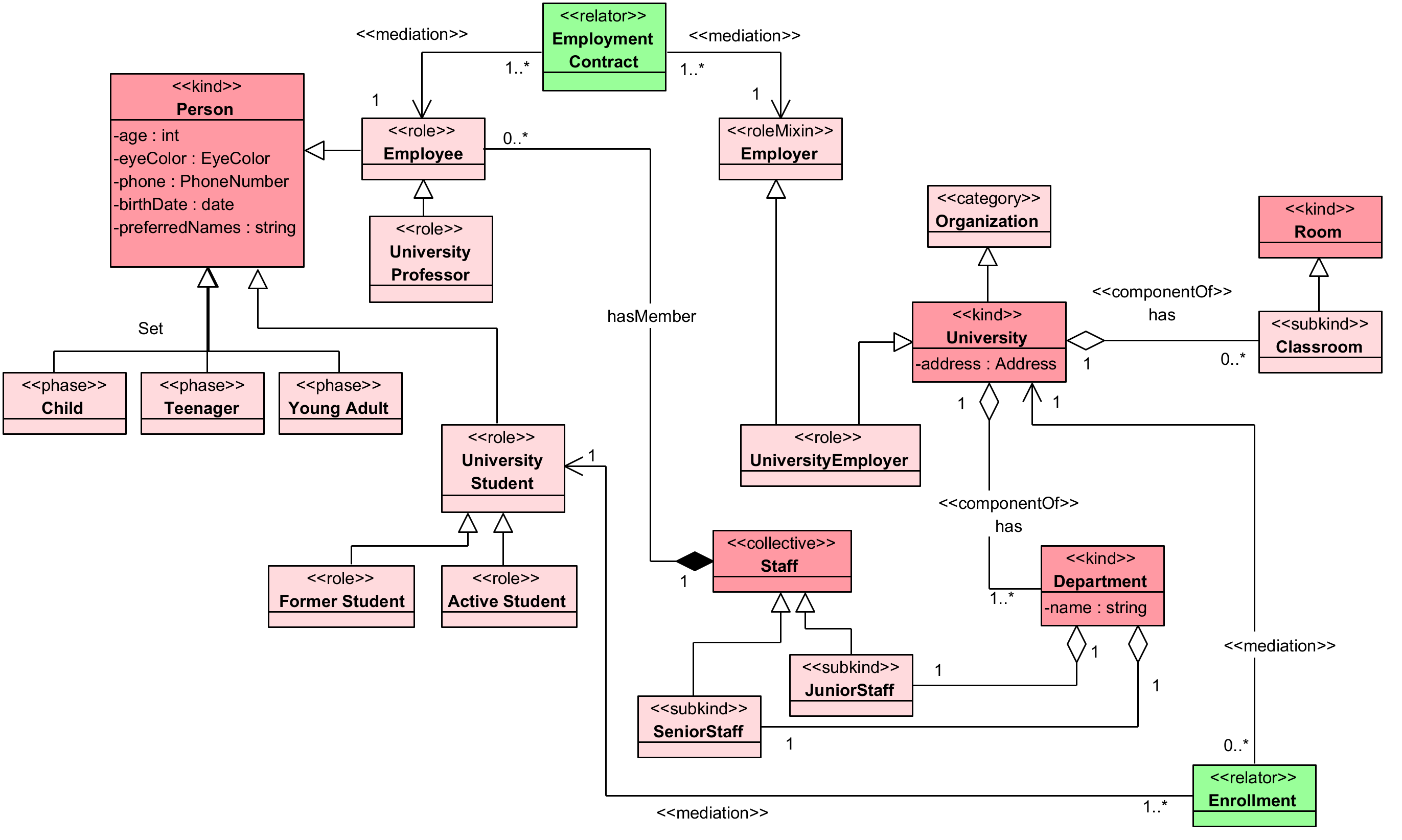
Tonto has two diagram workflows:
- VS Code diagram previews and the alpha
.tontodiagrameditor. - PlantUML generation from the CLI or extension.
VS Code diagram preview
Open a .tonto file and run:
Tonto: Open Tonto Diagram
The preview renders model elements and relations from the current project.
Alpha .tontodiagram editor
Enable the feature:
{
  "tonto.features.tontodiagram.enabled": true
}
Then run:
Tonto: New Diagram From Current Model
The extension creates a .tontodiagram file and opens it with the custom editor.
.tontodiagram syntax
diagram "University overview" {
  import university.people
  import university.academic

  include Person, Student, University, Department
  relations university.people::Person--university.academic::Enrollment

  direction LR
  stereotypes true
  attributes true
  external false
  datatypes true

  node Person { x 100 y 80 }
  node Student { x 320 y 80 }
}
Supported directions:
LR
RL
TB
BT
The editor stores node positions and presentation preferences. Relations are derived from .tonto sources and are not duplicated as authoring source.
PlantUML from the CLI
Generate one project-wide .puml file:
tonto-cli plantuml .
Generate one file per package:
tonto-cli plantuml . --per-package
Hide external references in package diagrams:
tonto-cli plantuml . --per-package --no-external-references
Choose a layout:
tonto-cli plantuml . --layout left-to-right
tonto-cli plantuml . --layout orthogonal
PlantUML from VS Code
Use the command palette:
Tonto: Open PlantUML Diagram
Tonto: Open Ontology PlantUML Diagram
Tonto: Export PlantUML
The webview includes layout controls and can export .puml source.